Cycle Counts
Because your inventory numbers are only as good as the last time someone verified them.
Maintain accurate distributed inventory
The cycle count workflow your store is missing.
01 Prescribe and Assign
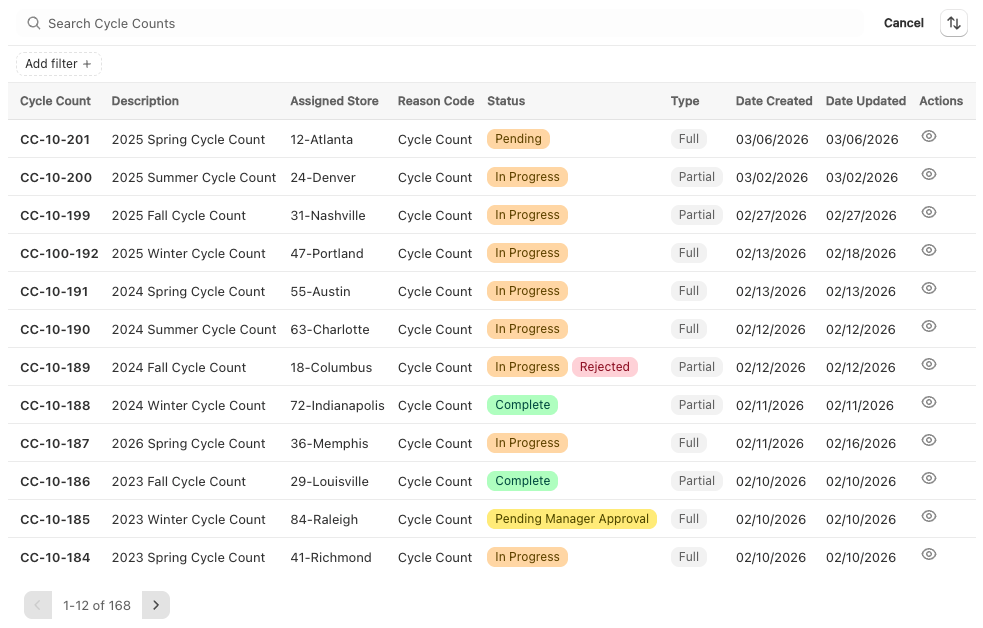
Dynamically define full or partial cycle counts for specific store locations and assign them to your team. Set the scope - by product, zone, or category - and let staff work through their count on their own schedule.
02 Manager Approvals
No inventory is updated in Shopify until a manager has reviewed the count and signed off. Discrepancies are surfaced before anything changes, giving your team a chance to catch errors before they become your new on-hand numbers.
03 Variance Reporting
See exactly where your counted quantities don't match what Shopify expects - every discrepancy flagged by product, with a full record of who counted, who approved, and when.
Role-based access, scanner-friendly inputs, and a full audit trail.
What your team can do with Cycle Counts
A structured workflow for verifying on-hand inventory at your store locations — with discrepancy review, manager approval, and automatic Shopify updates.
- Prescribe counts: Assign cycle counts to specific store locations and define which products or zones should be counted
- Discrepancy review: Automatically surface variances between counted quantities and expected Shopify inventory levels
- Manager approval: Counts are held for review before any inventory changes are committed — no unreviewed updates slip through
- Inventory sync: Once approved, Shopify inventory is updated automatically to reflect the verified count
- Audit trail: Full record of every count — who performed it, what was found, and who approved the update
- Permissions: Access controlled by staff roles so the right people count, review, and approve
If you are tired of your current cycle count application not working, let's chat.
See how our cycle counts workflow can bring structure, accountability, and real-time visibility to your Shopify operation.